Features
Everything a projection designer checks, in one 3D workspace.
Spill9 is a modern cloud-based solution with a lightweight and powerful 3D workspace where technical designers and video industry specialists can lay out and simulate complex projection setups together.
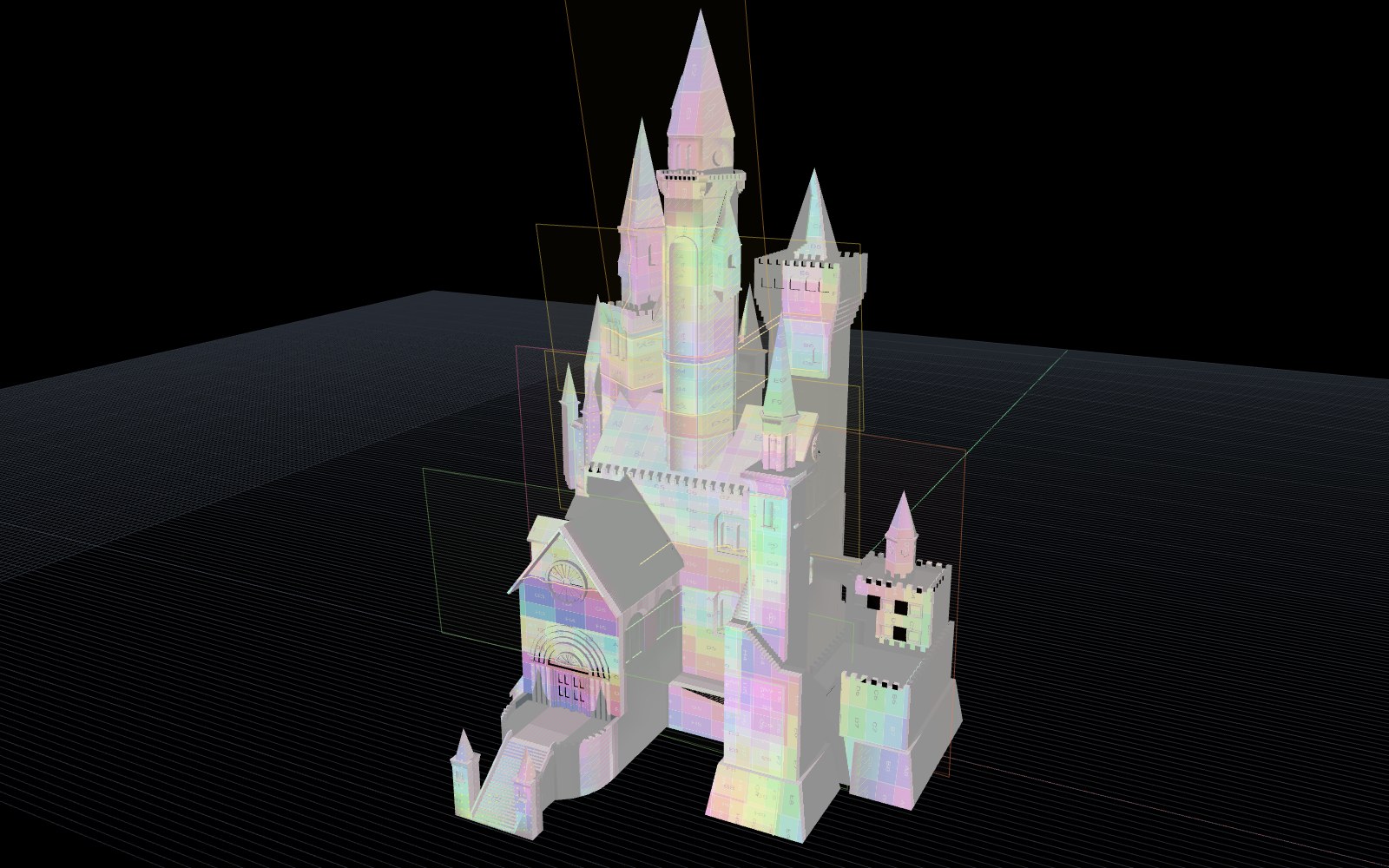
Bring your venue as it is
Every common 3D format
Upload GLB · glTF (+ .bin) · OBJ (+ .mtl) · DAE Collada · STL · PLY · FBX. Export from SketchUp, Trimble Connect, Blender, Rhino or Revit and drop the file in.
Projection data CSV
Import projector positions, aims, lenses and stacks from any other project or third-party SaaS with a projection data CSV - a whole rig in one step.
Smart model optimisation
Coincident and duplicated faces removed, z-fighting flicker reduced, materials merged and the mesh indexed, so heavy venue files stay clean and fast.
Simplification you control
Vertex clustering keeps silhouettes and large surfaces for lux and pixel studies while the laptop stays responsive. Pick the level of simplification per model.
Original textures
Keep the venue's own textures for realistic studies, switch them off for clean analysis, or override with a colour.
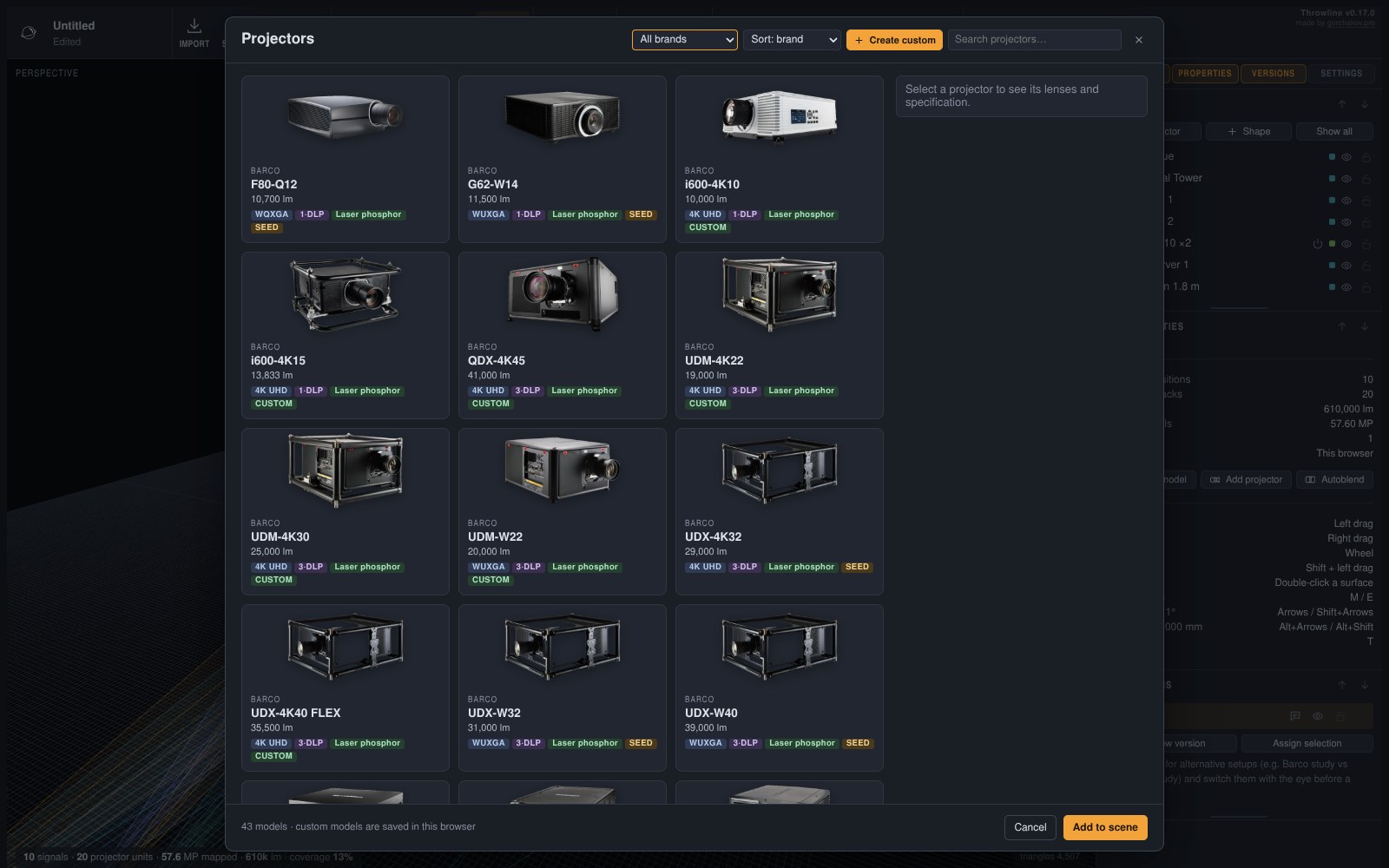
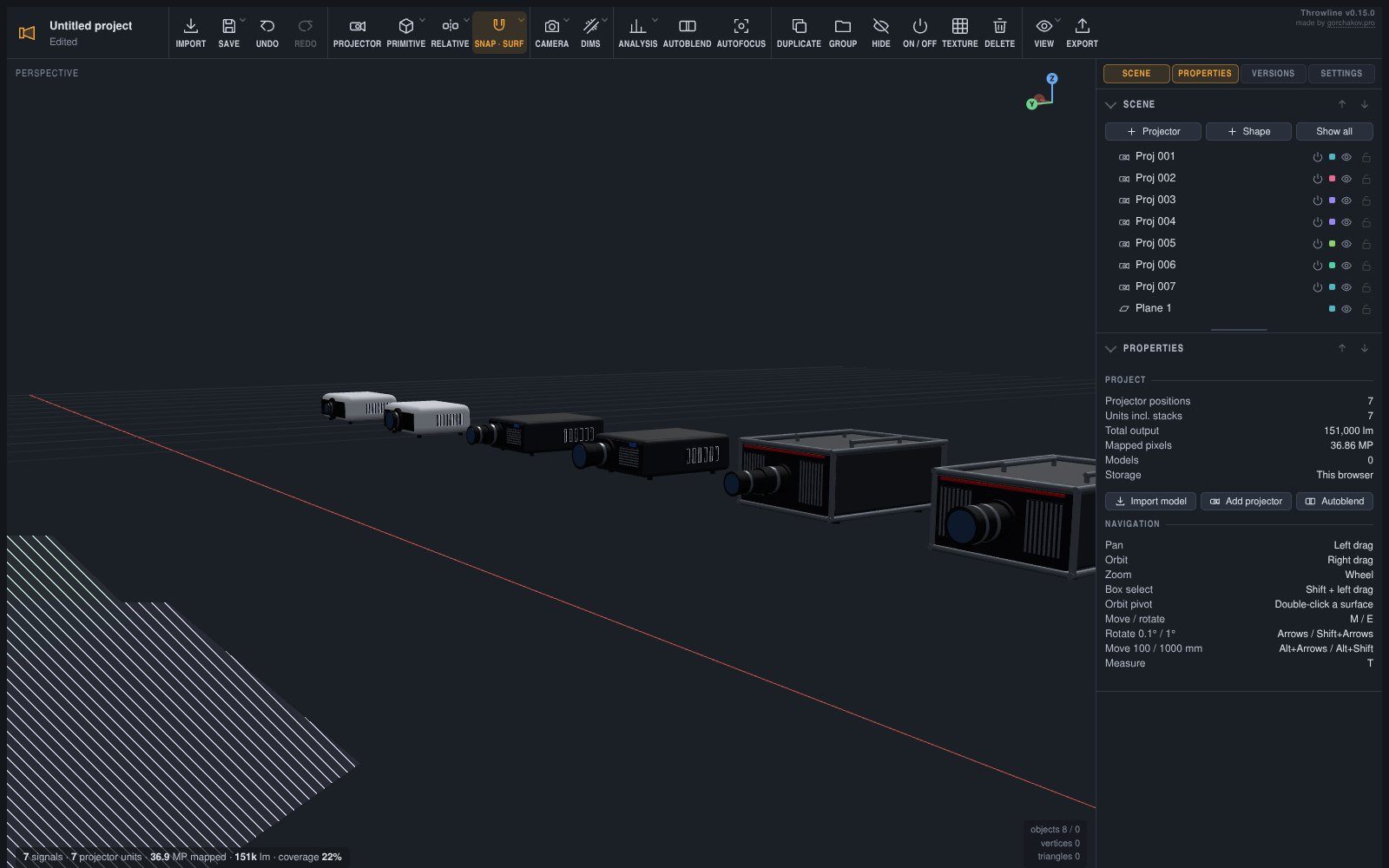
Real projectors, real lenses
Editable projector library
An extensive library of the most used projectors with the database of lenses available on the market - brightness, chip, resolution, weight, power and every lens with its official throw ratio and shift limits. Fully customisable, calibrated and checked.
3D projector bodies
Each body is drawn in 3D by maker family and size, and every lens has its own length, diameter and outline - so a rig drawing reads like the real thing.
Automatic lens choice
Type a distance or an image width: Spill9 picks the available lens whose zoom range holds the throw ratio, and tells you when the projector sits at the edge of its range.
No-lens warnings
Get notified when no lens in the set covers the chosen throw ratio - before the client asks why the image is too small.
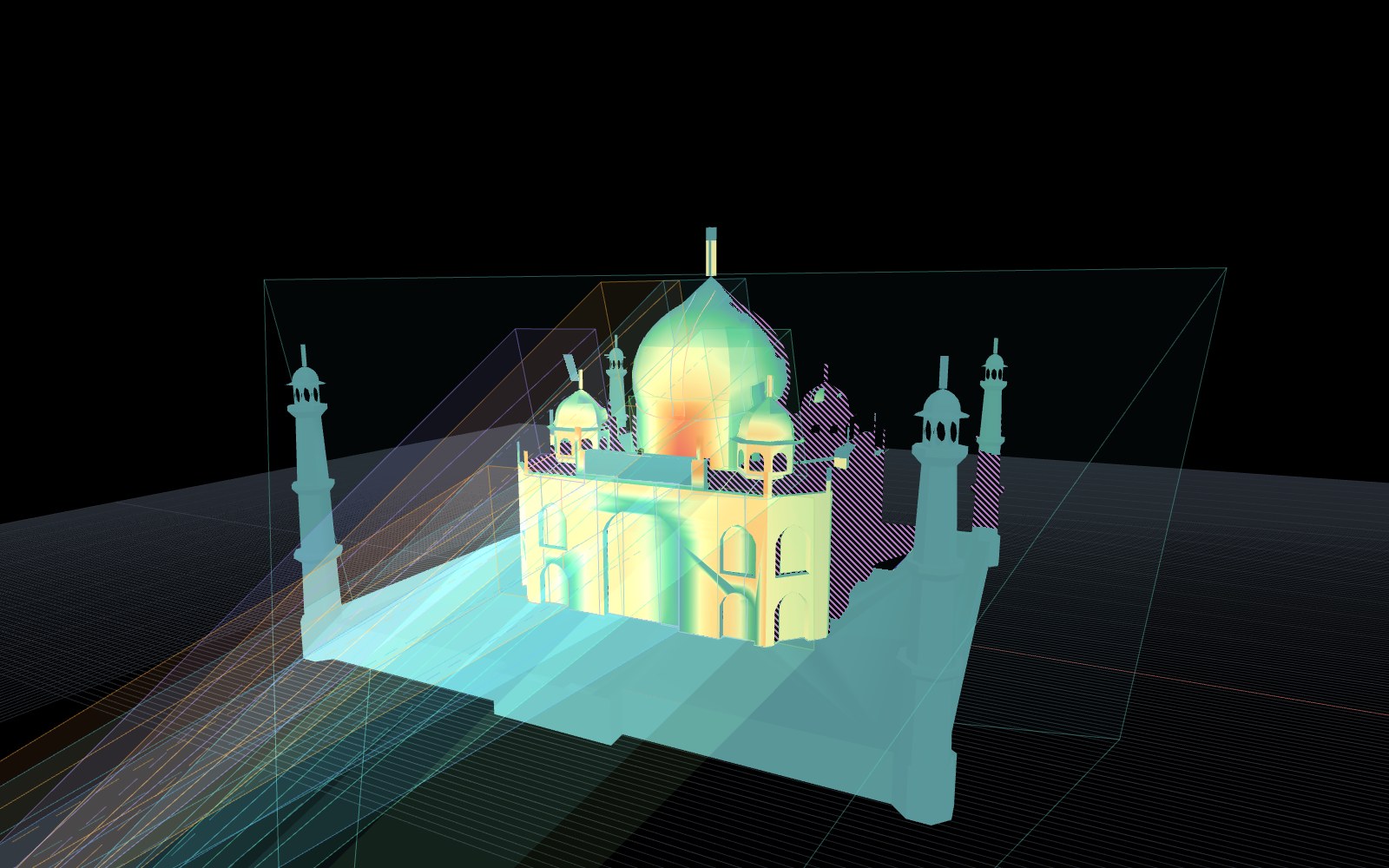
Light that behaves like light
Cinematic view
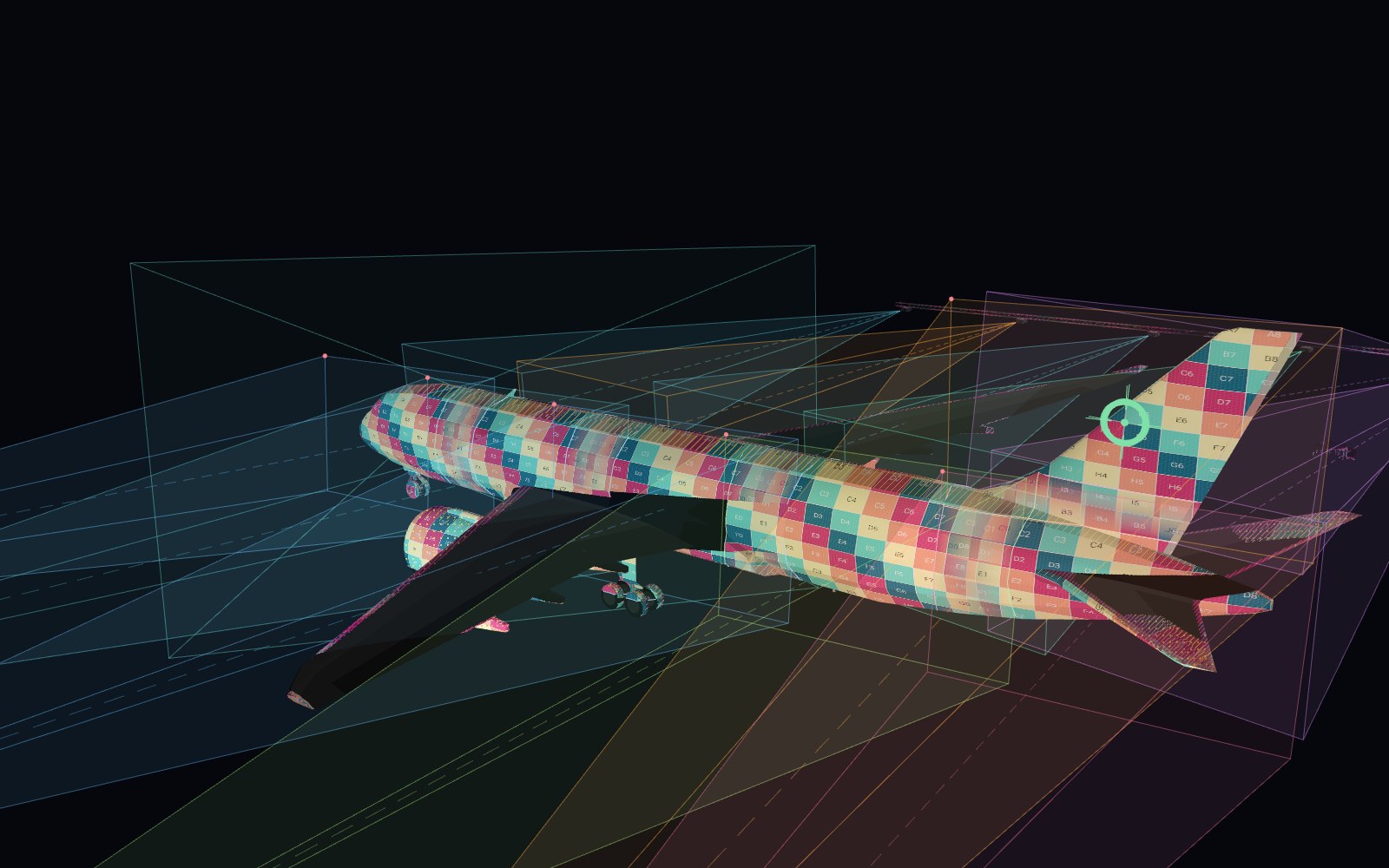
Volumetric beams in the haze - tinted by the content, stopped by whatever stands in them - with bloom and a filmic tone curve: a presentation picture straight from the working scene, on the same exact photometry.
Realtime optics engine
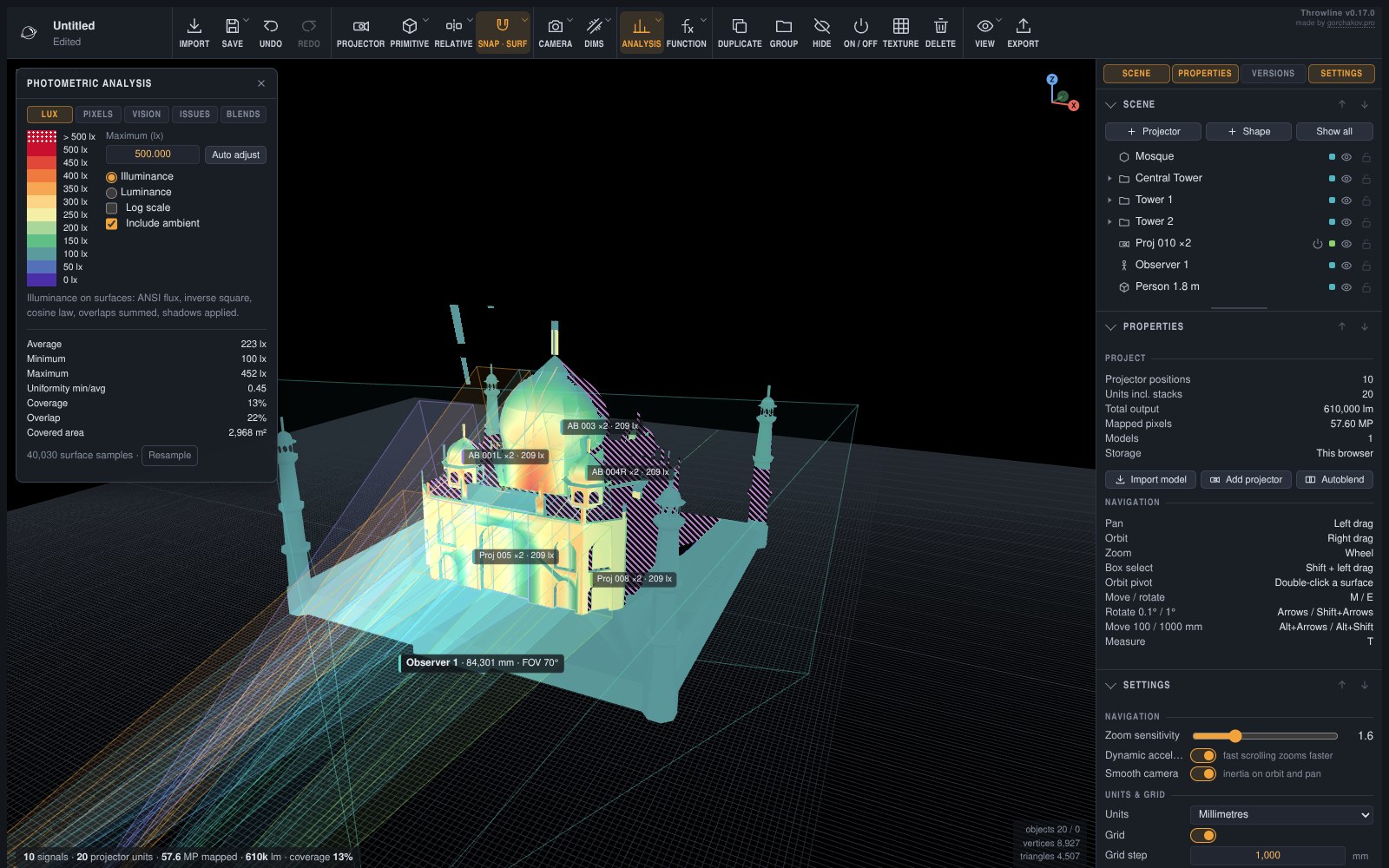
A quick, precise physics and optics engine on GPU-accelerated 3D graphics: lux, pixel pitch, overlaps and shadows recalculate while you drag a projector.
Realistic lenses
Fisheye distortion, shadow overlays from the set and the audience, and lens shift limited by the lens circle - you cannot shift further than the glass allows.
Focus and pixel-stretch hatching
Different hatching marks surfaces out of the depth of focus and pixels stretched by grazing angles, so problem areas stand out in a screenshot.
Automap
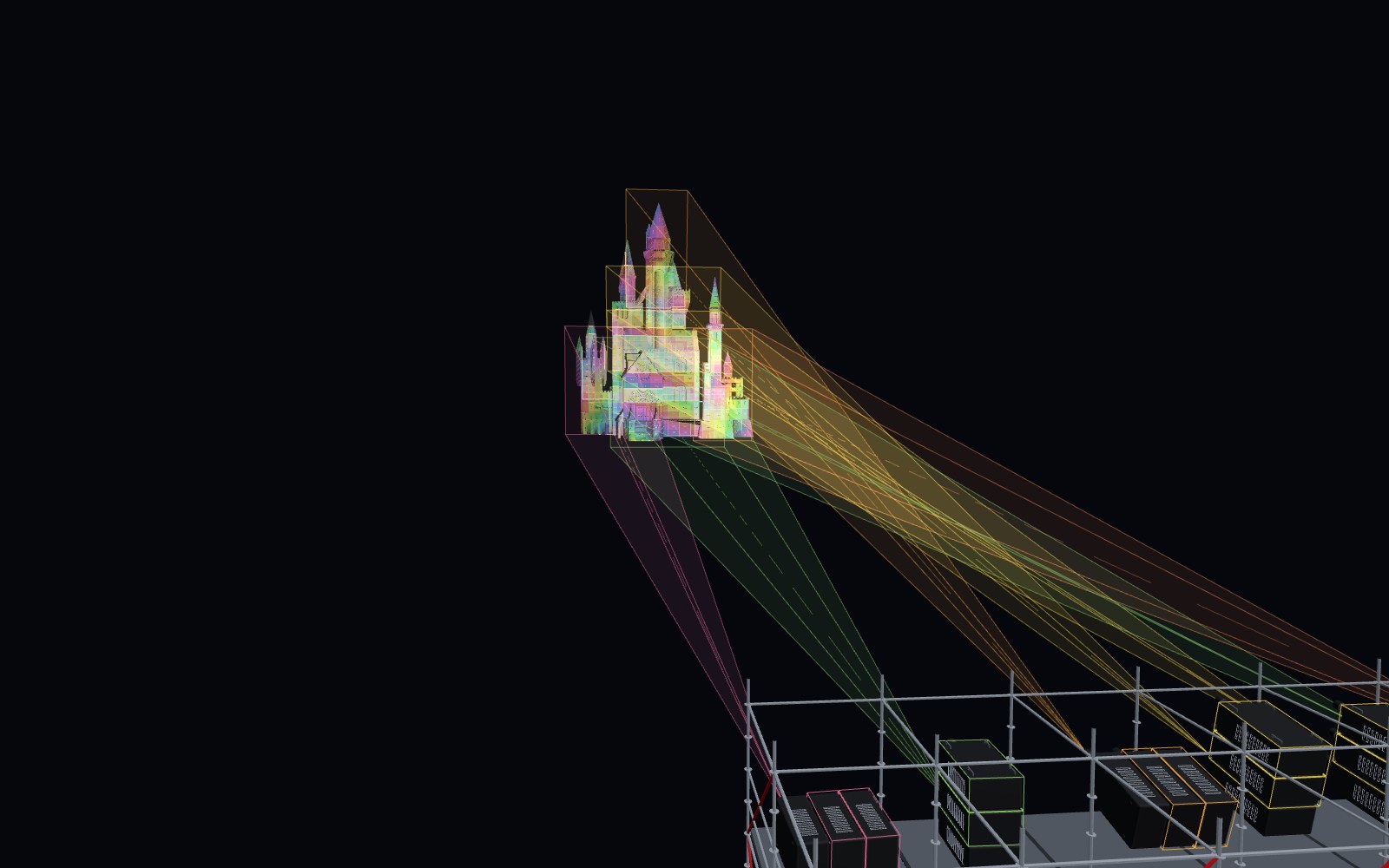
Choose what to map - Auto, the selected object, an area you mark or the camera view - and Spill9 lays out projectors, lenses and blends in seconds: a facade as a blended grid, a pavilion or a tent from inside in rows round its walls, every result checked on the surface.
Build the rig fast
Projection towers, truss, FOH
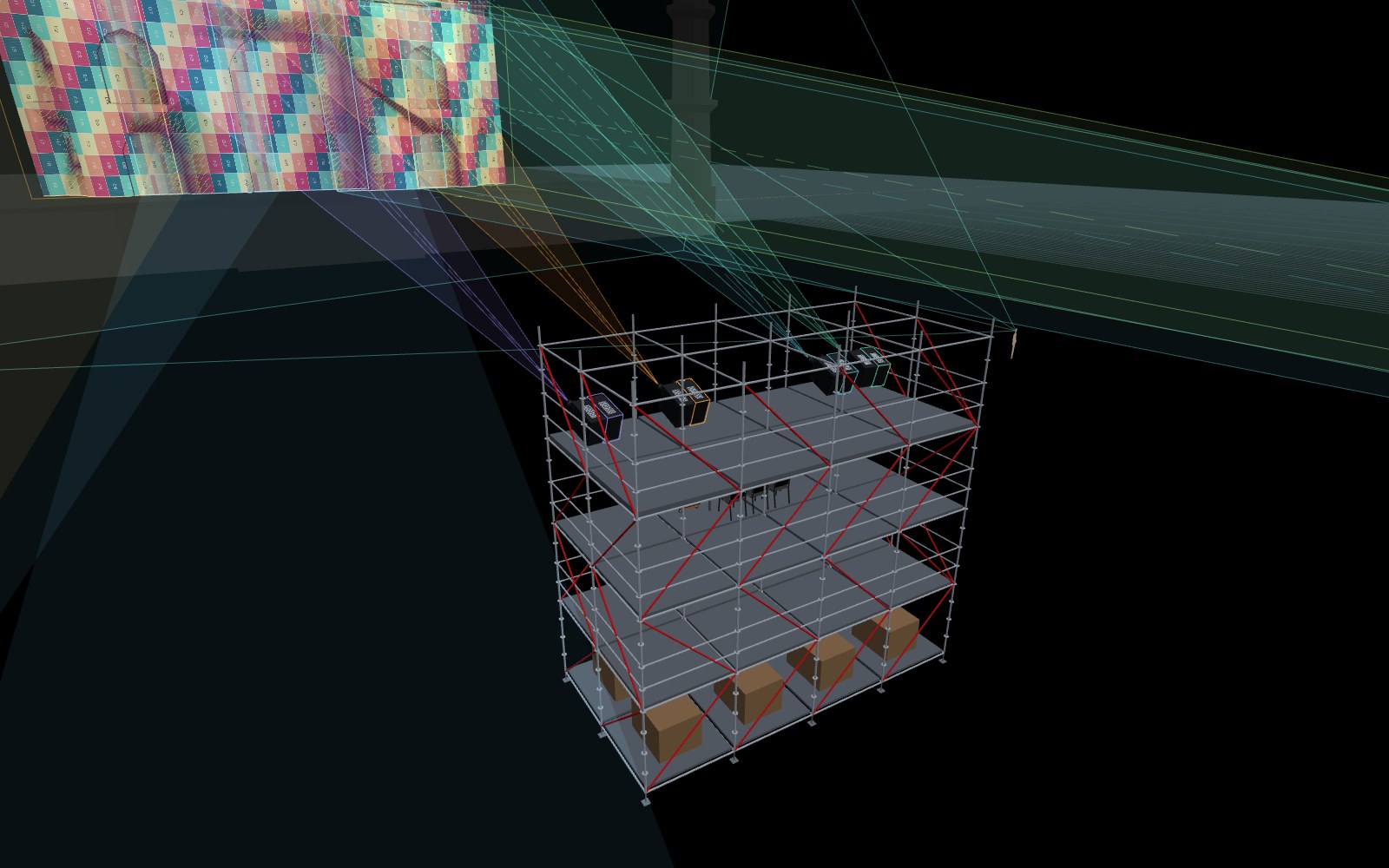
Scaffold projection towers with decks, ballast and stairs built under the projectors in one click, truss segments in official sizes, server racks and the FOH position - plus every common shape.
Blend masks and warp
Export a blend mask for every projector at its native resolution, worked out on the venue model, for disguise, and the warp onto the picture each group spans as MPCDI files for WATCHOUT and PIXERA.
Cabling and picklist
Cable runs from the FOH to every projector are measured automatically and rounded to stock lengths - HDMI, Cat6A / HDBaseT or fibre with extenders by distance and signal. Projectors, lenses, towers, truss, cables and converters all go into the picklist, so the warehouse can start preparing the build.
Symmetry and arrays
Symmetry, linear arrays, polar arrays and fans by dragging handles in the viewport - linked copies that follow the master.
Navel
Centre anything on anything with one click: a projector in a dome, a dome over a projector, an object on an object. The centre of a dome comes from a sphere fit, not the bounding box.
Snap modes
Grid, vertex, edge and surface snapping: corners land on corners, and a rack, a desk or a person lands with its feet on the floor, a roof or a scaffold deck. Hold Shift while dragging to keep the move on one axis.
Smart dimensions
Measure spaces quicker with precise axis control and leave annotations where the crew needs them.
Client comments
The published client view takes comments without an account: pinned to a point of the venue with the camera they were made from. You answer them and mark them done in the project.
Observer
Place a viewer eye to imitate an audience view with a POV camera - see the show from the plaza, the seats or the VIP deck.
Dome projection
Autodome
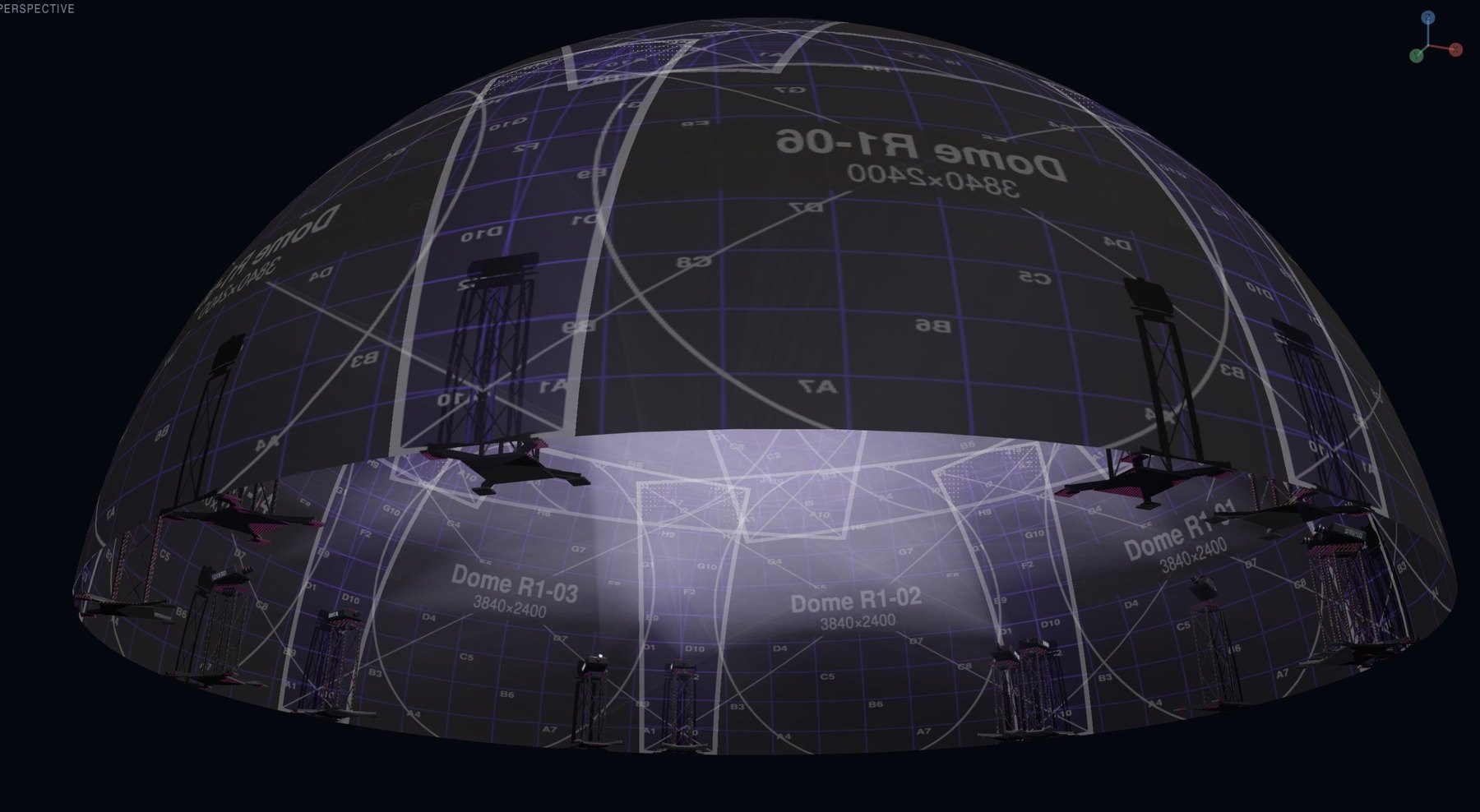
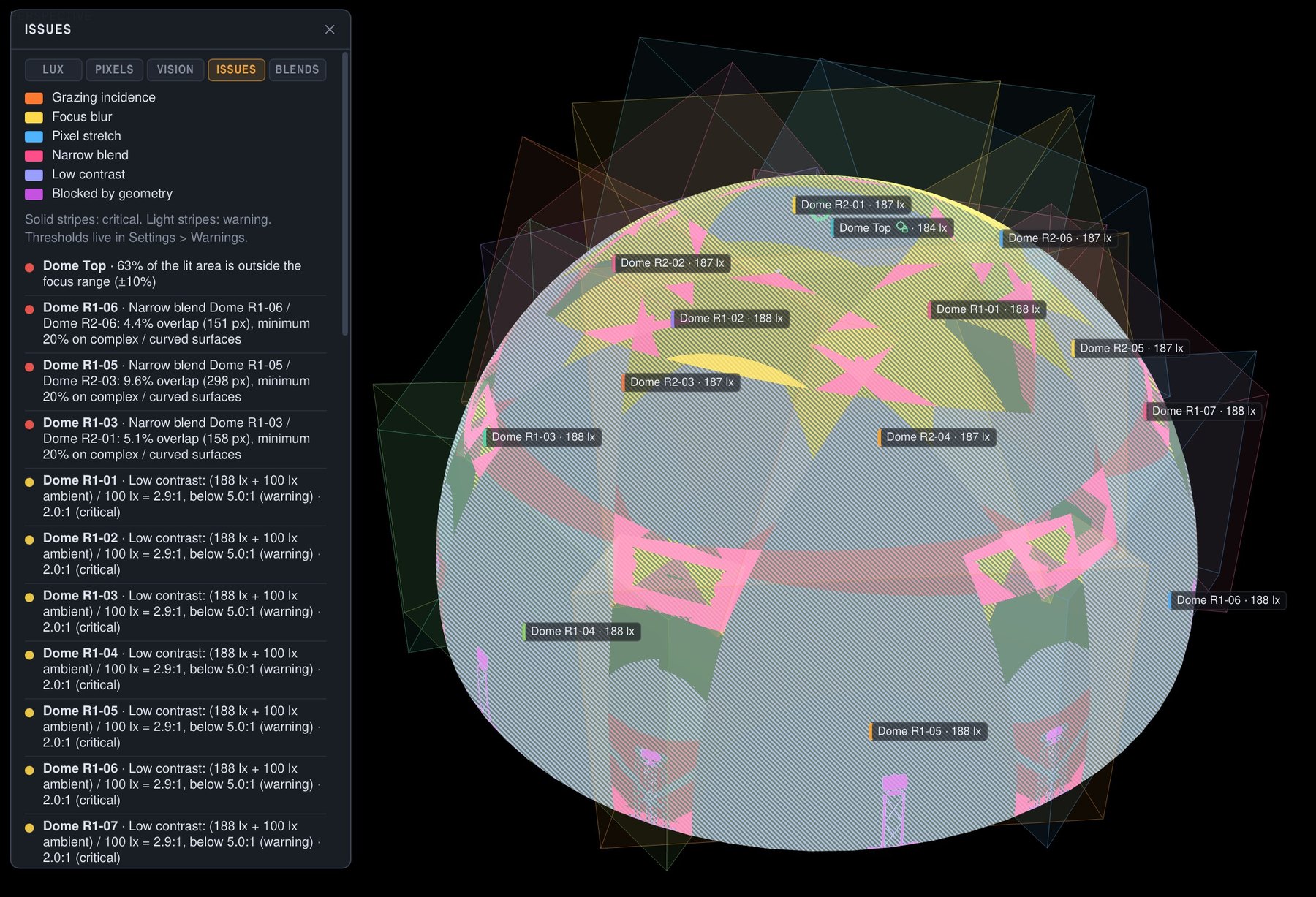
Select a dome and press Function → Autodome. Choose the projector, the illuminance, the pixel pitch, the blend and the layout, and Spill9 maps the whole dome, the top included, in seconds - every point covered, the blend kept everywhere, checked on the dome after it is built.
Three layouts
Projectors on one circle at the edge of the dome at the mount height (1 m by default) shooting across, each ring turned so no projector stands in front of another, and one projector in the middle pointing straight up for the top; a cluster in the centre shooting outward; or the dome lit from the outside.
Dome grid
Every Autodome rig gets the dome grid: rings of elevation and lines of azimuth with their figures, the horizon and the zenith, one picture across all projectors - the blends and the alignment read at a glance.
Light and pixels first
The image size comes from the lumens and the target lux and from the pixel pitch you need; every projector gets its own zoom for its own throw and the lens is picked from its lens set. Stacks are added when one projector is not enough.
For engineers, by engineers
The analysis function provides a comprehensive overview of illuminance levels, pixel pitch and stretch, visibility, and blend consistency, along with a complete list of items requiring attention.
Made for productions on the go
Optimised for laptops
Choose the level of ray-tracing and shadow detail for the machine you have on site - a site-survey laptop or a studio workstation.
Settings you will love
Zoom sensitivity, dynamic acceleration, smooth camera, environment presets with a custom profile, light, exposure, reflection and fog, quality and shadow-map settings, soft shadows, ground spill, full control over focus-blur warnings, pixel stretch, contrast, blends and much more.
Share and get it approved
Versions
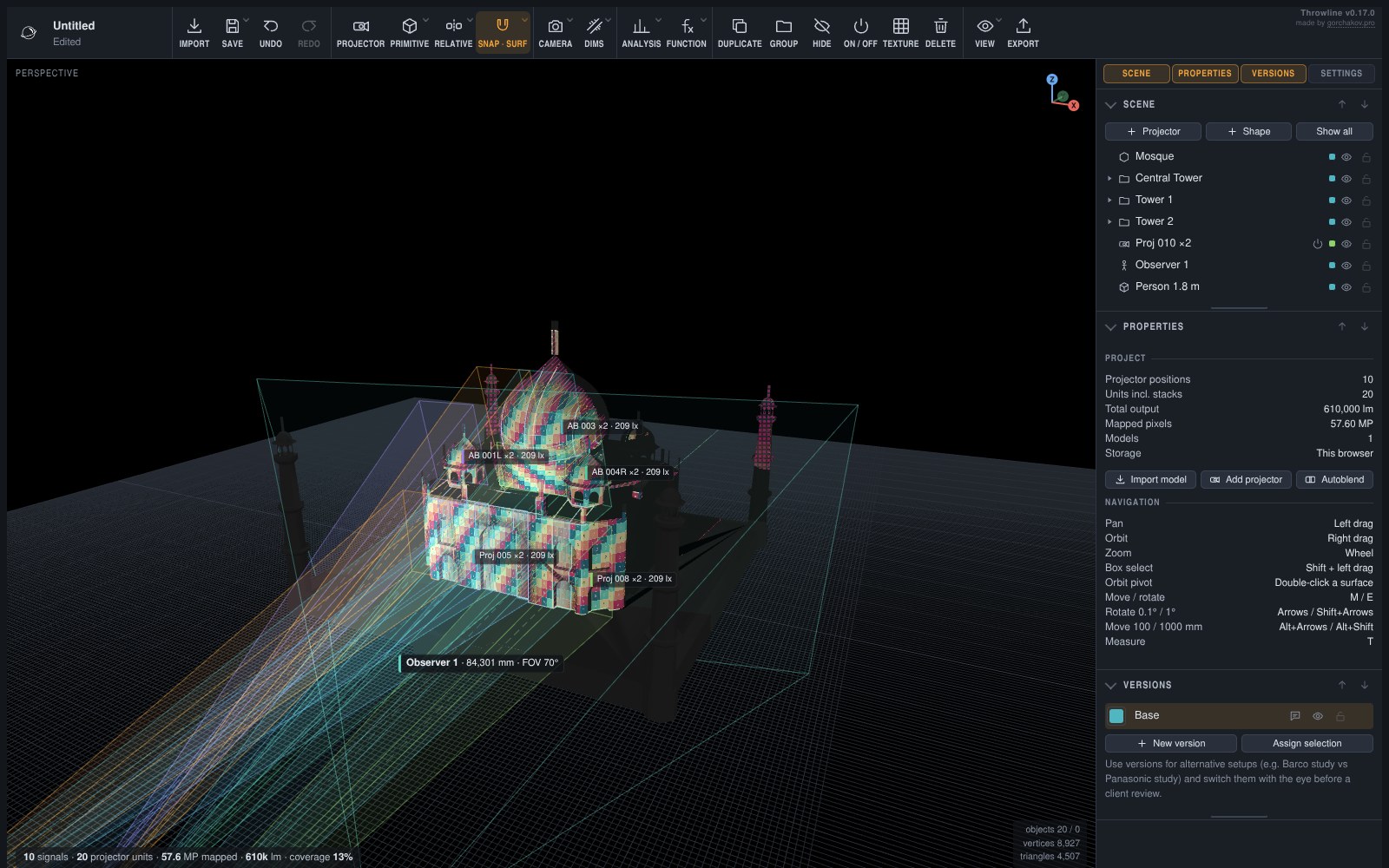
Make different setups within one scene - budget, standard, premium - and switch between them seamlessly in front of the client.
Secure sharing link
A read-only link gives the client and the venue everything they need for approval - views, numbers, the rig - with no account and no way to change or export your work.
Password-protected views
Lock a client view with a password: the link opens a password page first, and a new password signs every viewer out.
Straight into the media server
Export the projector table for disguise Designer or a placement script for PIXERA - positions, aim, throw ratio, lens shift and resolution arrive in the media server instead of being typed in again.
Project history
The server keeps earlier saves of every project. Put any of them back with one click - the version you had stays in the list.
Projection Study
Export complete projection studies as a PDF or Word document, generate eye-catching renders, extract projection data to CSV, or export full 3D geometry in various formats - we have you covered.
Picklist
Export the picklist with everything the crew needs for the build - projectors, lenses, rigging, towers, signal transport and power - down to the last cable.
See it on your own venue.
3-day free trial - no charge if you cancel before it ends.